JavaScript Traps Worth Knowing Before They Bite You
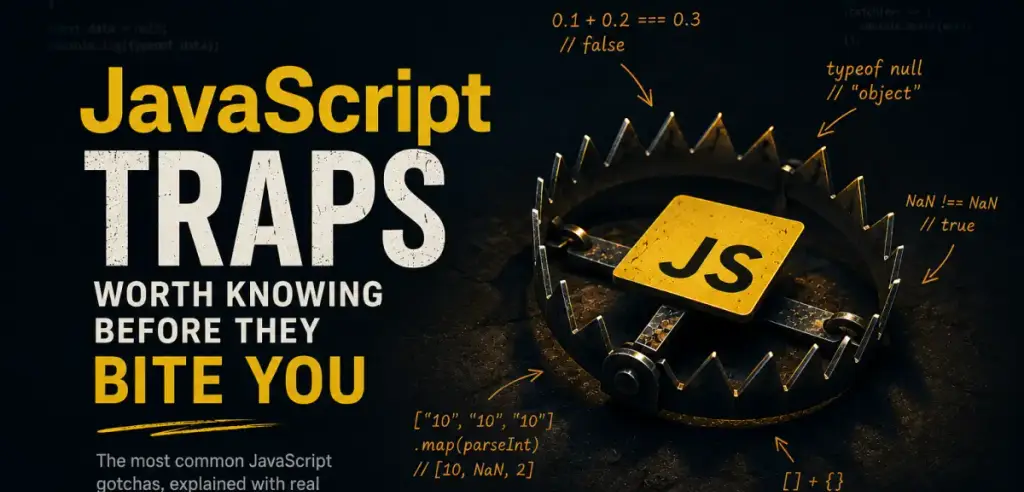
A field-tested tour of the JavaScript traps that bite real codebases — floating-point math, NaN, ==, hoisting, this, references, async/await, and JSON cloning.
JavaScript is one of those languages that looks friendly right up until the moment it ruins your evening.
At first, everything feels simple.
- You write a function.
- You render a button.
- You fetch some JSON.
- You build a small UI.
- You think: “Okay, I get it. JavaScript is not that hard.”
And then, at some random point, you open the console and see this:
0.1 + 0.2 === 0.3
// false
Or this:
typeof null
// "object"
Or this:
["10", "10", "10"].map(parseInt)
// [10, NaN, 2]
And suddenly JavaScript stops looking like a cute scripting language and starts looking like an ancient artifact with cursed rules inside.
The funny thing is: JavaScript is usually not random.
Most of its weird behavior comes from legacy decisions, type coercion, floating-point math, browser history, and the fact that the language had to evolve without breaking half of the internet.
That is what makes JavaScript interesting.
And sometimes painful.
This article is not a complete JavaScript textbook. It is a collection of traps that I think every developer should know earlier rather than later.
Not because you need to memorize them all.
But because one day you will see one of them in production, and it is better to recognize the monster before it bites.
The Famous One: 0.1 + 0.2
Let’s start with the classic.
console.log(0.1 + 0.2)
// 0.30000000000000004
At some point, every JavaScript developer discovers this example.
And usually the first reaction is:
What the hell?
The problem is not really JavaScript itself. The same thing happens in many other languages because they use binary floating-point numbers.
Computers store numbers in binary. Some decimal numbers, like 0.1 and 0.2, cannot be represented perfectly in binary form. So JavaScript stores an approximation.
Usually that approximation is good enough.
But sometimes it leaks out:
console.log(0.1 + 0.2 === 0.3)
// false
This looks stupid, but it is just math under the hood.
The real lesson is simple:
Do not use floating-point numbers for things that require exact precision.
Especially money.
Bad:
const price = 0.1 + 0.2
Better:
const priceInCents = 10 + 20
console.log(priceInCents)
// 30
Store money in cents, kopeks, smallest units, whatever fits your currency.
If you are building financial software, use a proper decimal library. Do not try to be heroic with floats.
Heroism in financial calculations usually ends with someone losing money.
typeof null Is a Historical Scar
This one is beautiful in the worst possible way:
console.log(typeof null)
// "object"
Of course, null is not an object.
But JavaScript says it is.
This behavior comes from an old implementation detail in the early days of the language. And now it cannot be fixed because too much old code depends on it.
That is one of the recurring themes in JavaScript:
Some things are not fixed because the web must not break.
So we live with this forever.
If you need to check for null, do not use typeof.
Use direct comparison:
const value = null
console.log(value === null)
// true
It is boring.
It is explicit.
It works.
And in JavaScript, boring and explicit is often the best strategy.
NaN Is Not Equal to Itself
Another little monster:
console.log(NaN === NaN)
// false
At first glance, this looks completely insane.
Even worse:
console.log(typeof NaN)
// "number"
So NaN means “Not a Number”, but its type is "number".
Welcome to JavaScript.
Actually, this also comes from floating-point rules. NaN represents an invalid numeric result, and according to the standard, it is not equal to anything, including itself.
So this does not work:
const value = NaN
if (value === NaN) {
  console.log("This will never run")
}
Use Number.isNaN() instead:
console.log(Number.isNaN(NaN))
// true
console.log(Number.isNaN("hello"))
// false
Be careful with the old global isNaN() function, because it performs coercion:
console.log(isNaN("hello"))
// true
console.log(Number.isNaN("hello"))
// false
Number.isNaN() is stricter and usually what you actually want.
The Problem With ==
JavaScript has two equality operators:
==
===
The first one is loose equality.
The second one is strict equality.
Loose equality tries to convert values before comparing them.
That is how you get this:
console.log(0 == false)         // true
console.log("" == false)        // true
console.log("5" == 5)           // true
console.log(null == undefined)  // true
Sometimes this feels convenient.
Most of the time it is just a bug waiting for its moment.
Strict equality does not perform type conversion:
console.log(0 === false)         // false
console.log("" === false)        // false
console.log("5" === 5)           // false
console.log(null === undefined)  // false
My default rule is simple:
Use ===.
Almost always.
There is one common pattern where == is sometimes used intentionally:
if (value == null) {
  // catches both null and undefined
}
This checks for both null and undefined.
But if you are working in a team, or writing code you want to be extremely clear, I would rather write:
if (value === null || value === undefined) {
  // clear and explicit
}
Yes, it is longer.
But future you will understand it immediately.
And future you is the person you should be writing code for.
Arrays, Objects, and the + Operator
The + operator in JavaScript has two jobs.
It can add numbers:
1 + 2
// 3
And it can concatenate strings:
"hello" + " world"
// "hello world"
The problem starts when you give it arrays or objects.
console.log([] + [])
// ""

console.log([] + {})
// "[object Object]"
This is not magic. JavaScript tries to convert both sides into primitive values.
An empty array becomes an empty string:
String([])
// ""
An object becomes this beautiful thing:
String({})
// "[object Object]"
So this:
[] + {}
becomes roughly this:
"" + "[object Object]"
Result:
"[object Object]"
You can go very deep into this rabbit hole. There are entire memes about JavaScript coercion.
But the practical lesson is simple:
Do not rely on implicit conversion when your values are not simple primitives.
Write what you mean.
Instead of this:
const result = items + ""
Write this:
const result = items.join(", ")
Or this:
const result = String(value)
Explicit code is less funny in screenshots, but much better in production.
var Is Not Your Friend
Before let and const, JavaScript had var.
And var has one big problem: it is function-scoped, not block-scoped.
Example:
if (true) {
  var name = "Ravy"
}
console.log(name)
// "Ravy"
That variable escaped from the block.
With let, this would fail:
if (true) {
  let name = "Ravy"
}
console.log(name)
// ReferenceError
This is how most modern developers expect variables to behave.
var also creates confusing behavior with loops and closures.
Classic example:
for (var i = 0; i < 3; i++) {
  setTimeout(() => {
    console.log(i)
  }, 100)
}
You might expect:
0
1
2
But you get:
3
3
3
Why?
Because var creates one shared i for the whole loop. By the time the callbacks run, the loop has already finished.
With let, each iteration gets its own variable:
for (let i = 0; i < 3; i++) {
  setTimeout(() => {
    console.log(i)
  }, 100)
}
Now the result is:
0
1
2
This is why my rule is very simple:
Use const by default.
Use let when you need reassignment.
Do not use var unless you have a very specific reason.
And most of the time, you do not.
Hoisting: When Code Runs Before It Looks Like It Should
JavaScript hoists declarations.
With var, this means the variable declaration is moved to the top of the scope, but the value is not.
console.log(value)
// undefined
var value = 10
JavaScript treats this roughly like:
var value
console.log(value)
// undefined
value = 10
That is already confusing.
But with let and const, the behavior is different:
console.log(value)
// ReferenceError
let value = 10
The variable exists, but it is in the so-called temporal dead zone until the declaration line is reached.
You do not need to build your whole life around this term. Just remember the practical rule:
Declare variables before using them.
It is not a “junior” habit.
It is just clean code.
this Is Not Where the Function Lives
this in JavaScript is one of those topics that can make even experienced developers tired.
The main idea:
this depends on how a function is called, not where it is written.
Example:
const user = {
  name: "Ravy",
  sayHi() {
    console.log(this.name)
  }
}

user.sayHi()
// "Ravy"
Looks good.
But now:
const sayHi = user.sayHi
sayHi()
// undefined
We took the method out of the object. Now it is just a function call, not user.sayHi().
So this is lost.
This happens a lot when passing methods as callbacks.
You can fix it with bind:
const sayHi = user.sayHi.bind(user)
sayHi()
// "Ravy"
Or with a wrapper:
const sayHi = () => user.sayHi()
sayHi()
// "Ravy"
The trap gets even more interesting with arrow functions.
Arrow functions do not have their own this.
So this is usually a bad idea:
const user = {
  name: "Ravy",
  sayHi: () => {
    console.log(this.name)
  }
}

user.sayHi()
// undefined
If you need this inside an object method, use a regular method:
const user = {
  name: "Ravy",
  sayHi() {
    console.log(this.name)
  }
}
Arrow functions are great.
Just not everywhere.
Objects Are Passed by Reference
This one creates bugs that look like ghosts.
const a = { count: 1 }
const b = a
b.count = 2
console.log(a.count)
// 2
At first, it feels like b should be a copy.
But it is not.
Both variables point to the same object.
Same thing with arrays:
const first = [1, 2, 3]
const second = first
second.push(4)
console.log(first)
// [1, 2, 3, 4]
This becomes especially painful in UI development, state management, Redux-like patterns, Vue, React, or anywhere else where you expect data changes to be predictable.
A shallow copy helps:
const original = { count: 1 }
const copy = { ...original }
copy.count = 2
console.log(original.count)
// 1
For arrays:
const original = [1, 2, 3]
const copy = [...original]
copy.push(4)
console.log(original)
// [1, 2, 3]
But there is another trap.
Shallow copy only copies the first level.
const user = {
  name: "Ravy",
  settings: {
    theme: "dark"
  }
}

const copy = { ...user }
copy.settings.theme = "light"
console.log(user.settings.theme)
// "light"
The top-level object was copied.
The nested settings object was not.
For deep cloning, modern JavaScript has structuredClone():
const copy = structuredClone(user)
But even here, you need to understand your data. Functions, class instances, special objects — all of this can require special handling.
The real lesson:
When you copy an object, always ask yourself:
Did I copy the object, or did I copy a reference?
This question saves a lot of debugging time.
map(parseInt) Is Evil and Beautiful
This is one of my favorite JavaScript traps because it looks so clean.
["10", "10", "10"].map(parseInt)
You might expect:
[10, 10, 10]
But JavaScript gives you:
[10, NaN, 2]
Why?
Because map passes three arguments into the callback:
(value, index, array)
And parseInt accepts two arguments:
parseInt(value, radix)
So this:
["10", "10", "10"].map(parseInt)
actually becomes:
parseInt("10", 0) // 10
parseInt("10", 1) // NaN
parseInt("10", 2) // 2
It is technically correct.
And completely not what you wanted.
Write this instead:
["10", "10", "10"].map(value => parseInt(value, 10))
Or:
["10", "10", "10"].map(Number)
This is a perfect example of a JavaScript problem where every piece works correctly in isolation, but together they create chaos.
async/await Does Not Automatically Make Things Parallel
async/await makes asynchronous code much easier to read.
But it also makes it easy to accidentally write slow code.
Example:
const user = await fetchUser()
const posts = await fetchPosts()
const comments = await fetchComments()
This runs sequentially.
First, JavaScript waits for the user.
Then it waits for posts.
Then it waits for comments.
If these requests do not depend on each other, this is wasted time.
Better:
const [user, posts, comments] = await Promise.all([
  fetchUser(),
  fetchPosts(),
  fetchComments()
])
Now they run in parallel.
But there is another detail.
Promise.all() fails fast. If one promise rejects, the whole thing rejects.
Sometimes that is what you want.
Sometimes you want to collect all results, even failed ones:
const results = await Promise.allSettled([
  fetchUser(),
  fetchPosts(),
  fetchComments()
])
The trap here is not syntax.
The trap is thinking that pretty asynchronous code is automatically efficient asynchronous code.
It is not.
You still need to think about execution flow.
try/catch Does Not Catch Promises Unless You Await Them
This works:
try {
  await loadData()
} catch (error) {
  console.error(error)
}
This may not:
try {
  loadData()
} catch (error) {
  console.error(error)
}
If loadData() returns a rejected promise and you do not await it, your try/catch will not catch the error.
Because the error happens later, asynchronously.
Correct:
try {
  await loadData()
} catch (error) {
  console.error(error)
}
Or:
loadData().catch(console.error)
This bug is especially annoying because the code visually looks protected.
But it is not.
It is like putting an umbrella next to yourself during rain and wondering why you are wet.
JSON Is Not a Universal Clone Tool
A lot of developers have used this trick at some point:
const copy = JSON.parse(JSON.stringify(data))
It looks like a quick deep clone.
And sometimes it works.
Until it does not.
const data = {
  date: new Date(),
  value: undefined,
  method: () => {},
  nan: NaN,
  infinity: Infinity
}

console.log(JSON.stringify(data))
Result:
{
  "date": "2026-05-11T00:00:00.000Z",
  "nan": null,
  "infinity": null
}
What happened?
The Date became a string.
undefined disappeared.
The function disappeared.
NaN became null.
Infinity became null.
JSON is not a clone system.
JSON is a data format.
It is great when your data is actually JSON-compatible. But if your object contains special values, methods, dates, maps, sets, or class instances, JSON will quietly destroy information.
Use structuredClone() when it fits:
const copy = structuredClone(data)
But again, understand what you are cloning.
Blind cloning is just another way to create bugs with confidence.
Dates Are a Separate Kind of Pain
JavaScript dates deserve their own article.
But one trap is worth mentioning here.
new Date("2026-05-11")
This looks harmless.
But depending on timezone behavior, you can easily end up with a different local date than expected.
Another dangerous format:
new Date("05/11/2026")
Is that May 11?
Or November 5?
Depends on expectations, environment, and format.
The safer habit is to use clear ISO strings:
new Date("2026-05-11T00:00:00Z")
And for serious timezone logic, use proper tools.
Date and time bugs are never “small bugs”.
They become calendar bugs, billing bugs, analytics bugs, reminder bugs, booking bugs — the kind of bugs that make users lose trust.
Optional Chaining Can Hide Real Problems
Optional chaining is one of the best modern JavaScript features.
const city = user?.profile?.address?.city
It is clean.
It prevents crashes.
It is useful.
But it can also hide bugs.
Example:
const price = product?.details?.price
If details is genuinely optional, fine.
But if details must always exist, then optional chaining hides a backend problem and quietly gives you undefined.
Sometimes you want graceful fallback.
Sometimes you want the app to scream immediately because something is broken.
For required data, I prefer explicit validation:
if (!product.details) {
  throw new Error("Product details are missing")
}
Use optional chaining for optional data.
Not as a blanket carpet to cover broken assumptions.
const Does Not Mean Immutable
This one is simple but important.
const user = {
  name: "Ravy"
}

user.name = "Alex"
console.log(user.name)
// "Alex"
This is allowed.
const means you cannot reassign the variable:
user = {}
// TypeError
But the object itself can still be changed.
If you want to prevent changes, there is Object.freeze():
const user = Object.freeze({
  name: "Ravy"
})

user.name = "Alex"
console.log(user.name)
// "Ravy"
But even this is shallow.
Nested objects can still be mutable unless you freeze them too.
So const is not a magic shield.
It protects the binding, not the value inside.
The Real Lesson
It is easy to make fun of JavaScript. And honestly, sometimes JavaScript deserves it. But after writing enough code, I do not think the main problem is that JavaScript is “bad”. The real problem is that JavaScript looks simpler than it is.
- It lets you start quickly.
- It lets you build something fast.
- It forgives many things.
- It converts types for you.
- It hides complexity behind friendly syntax.
And then, when your project grows, all those hidden rules start showing up. This is why I think JavaScript traps are worth learning.
- Not to feel smarter than other developers.
- Not to post weird console screenshots.
But to build a mental map of the language. Because once you understand these traps, JavaScript becomes much more predictable.
- You stop being surprised by
NaN. - You stop trusting implicit coercion.
- You stop using
var. - You stop cloning everything with JSON.
- You stop thinking
awaitmeans “parallel”. - You stop assuming
thismeans what it means in other languages.
And your code becomes calmer. Maybe that is the best compliment code can get.
- Not clever.
- Not magical.
Just calm, predictable, and boring in the right places.
JavaScript is not a cursed language. But it definitely has traps. And it is better to know where they are before stepping into them.