From a Demo File to a Highlight Reel: A CS2 Tool I Always Wanted
Before I was an engineer, I was a Counter-Strike player.
Before I was an engineer, I was a Counter-Strike player. I played in XPLOIT Team around 15, competed in ASUS, MSI Beat in Russia, WCG and WESGG, and my proudest result was 2st place in WCG Russia. The game stuck with me long after the team days ended. I still queue up CS2 matches in the evening, and I still catch myself rewatching rounds in my head on the way to work.
Here is the thing every CS player knows. You play a great match. There was that one round — a 4K, or a clutch you had no business winning — and you want to watch it again, or show it to your teammates. What you actually have is a demo file: a 40-minute recording where your moment is buried somewhere around minute 23. So you open the demo, scrub through it at 8x speed, miss the round, scrub back, finally find it, then record your screen with OBS while it plays. I have done this dance more times than I want to admit.
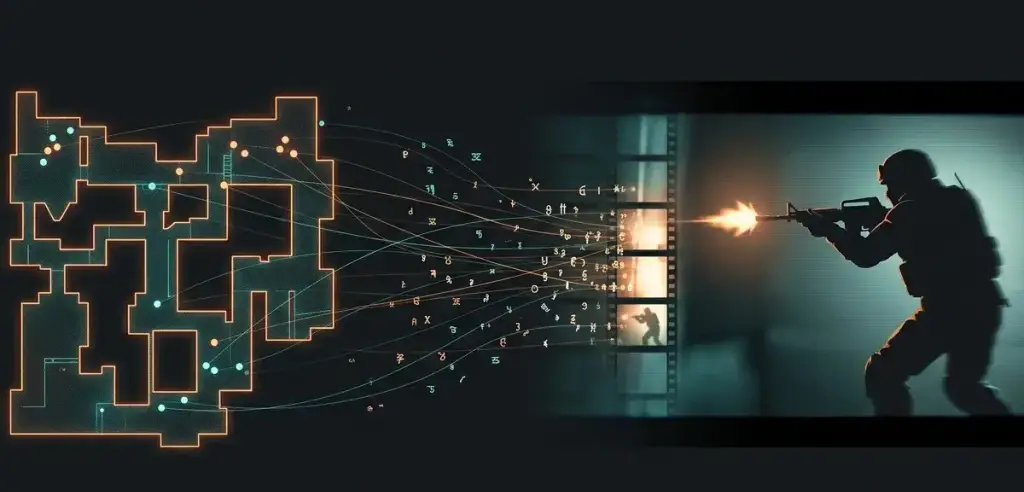
So I built a tool that does the whole thing automatically. You give it a demo file, it gives you back an MP4 with the best moments of the match, cut from real in-game footage.
highlights match.dem
That's it. One command.
What it actually does
On my own de_inferno match (21 rounds, 150 kills), the tool found 8 highlights: a 4K by a player named Auttnic, four clutches, and a handful of multi-kill rounds. One clip merged two overlapping moments — two players fragging at the same time — and switches the camera between them mid-clip. There is also a --player flag if you only want your own moments, which is what most people want: a personal reel from a match you just played.
The pipeline has four stages:
match.dem → parse events → detect & score highlights → record via CS2 + HLAE → final MP4
The first two stages are pure data work. The last two are the reason this was fun to build.
A demo file contains no video
This surprises people who haven't worked with demos. A .dem file is not a recording of the screen. It is a stream of game events and entity positions: who shot whom, with what, from where, on which tick. It is tiny compared to video because there are no pixels in it — the game engine recreates the picture during playback.
That fact splits the project in half. Detecting highlights means reading data. Producing video means launching the actual game, making it play the demo at the right moments, pointing the camera at the right player, and capturing frames. Half data engineering, half puppeteering a live game process.
Finding the highlights
For parsing I used demoparser2 — a Rust parser with Python bindings that turns a demo into pandas DataFrames. One call gives you every kill with attacker, victim, weapon, headshot flag, even "through smoke" and "attacker was flashed" flags.
The detector clusters each player's kills within a round into "moments" — kills less than 20 seconds apart belong to the same moment. Clutches are detected by replaying the round's deaths and counting who is alive: when one side is down to a single player who then wins the round, that's a 1vX.
Each moment gets a score. The weights are simple and live in one dictionary: an ace adds 8 points, a knife kill 3, an AWP noscope 2.5, a won clutch adds 2 plus 1.5 per opponent. Pistol rounds and the final round get multipliers, and a moment from a round your team still lost gets docked 15%. Top N moments by score become clips, with a few seconds of lead-in and lead-out around the kills.
None of this is machine learning, and that is deliberate. The heuristics are readable, debuggable, and tweakable in one file. If you think a wallbang deserves more than 1 point, change the number.
Recording: driving the game like a puppet
This is the part where most of the engineering went, and where I leaned on the open-source work of others. CS Demo Manager (MIT) solved game-driven recording years ago, and I ported its mechanics to Python. Credit where it is due: akiver's CSDM, advancedfx's HLAE, and LaihoE's parser made this project possible.
The recording flow looks like this:
- The tool launches CS2 through HLAE with a DLL injection (
AfxHookSource2.dll). HLAE adds console commands for movie-making that the game doesn't have. - A small server plugin (a
server.dllshim, also from CSDM) gets loaded by the engine through a temporary edit ofgameinfo.gi. The plugin reads a JSON file with commands and executes each one at an exact demo tick. CS2 dropped the old.vdmscripting system, so without this plugin there is no reliable way to say "do X at tick 45771". - At each highlight, the plugin seeks the demo, locks the camera on the right player, and starts the capture. HLAE pipes rendered frames straight into FFmpeg — no gigabytes of raw screenshots on disk — while the game writes a WAV with the sound.
- When the last clip is done, the game quits itself, and FFmpeg glues the clips into the final MP4.
The devil here is in tiny ordering rules that you only learn from CSDM's commit history. Commands must never run before tick 96, because the game skips early ticks after a seek. The seek must happen on an earlier tick than the camera command, because since an October 2025 update they get ignored if issued together. Playback pauses 4 ticks before each clip starts so the post-seek loading tint can fade. Get any of these wrong and you get black frames, a free-floating camera, or no clip at all.
Two rakes I stepped on along the way, in case they save someone an hour:
- The plugin binary ships inside CS Demo Manager's installer. I didn't want to require a full CSDM install, so my extraction script carves the 7z payload out of the NSIS installer by signature offset. Python's py7zr can't decode it (the archive uses a BCJ2 filter), so the script falls back to the standalone
7zr.exe. - If your Python comes from the Microsoft Store, its writes to AppData are silently virtualized into an MSIX sandbox — your files exist for Python and don't exist for any other process. I spent a while staring at a file that was simultaneously there and not there before figuring it out. The tool keeps everything in
~/.cs2-highlightsbecause of this.
One important note: the game always launches with -insecure, and the plugin refuses to run without it. Don't join VAC-secured servers with HLAE running. The tool never touches your real game config either — the game gets a sandboxed settings folder.
Using it
You need Windows, CS2 installed, Steam running, and Python 3.11+. HLAE and FFmpeg download themselves on first run.
git clone [GitHub repo link]
cd cs2-highlights
python -m venv .venv
.venv\Scripts\pip install -e .
.venv\Scripts\highlights doctor
doctor checks the whole environment and tells you exactly what is missing:
| Steam installed       | OK   | c:\program files (x86)\steam     |
| CS2 installed         | OK   | D:\...\game\bin\win64\cs2.exe    |
| HLAE                  | OK   | ~\.cs2-highlights\tools\hlae     |
| CS2 server plugin     | OK   | vendor\cs2-plugin\server.dll     |
Then:
highlights match.dem                   # best moments of the match
highlights match.dem --player Rovniy   # only my moments
highlights match.dem --top 5           # limit the reel to 5 clips
highlights match.dem --json-only       # just analyze, no recording
Expect recording to take roughly real time plus seeks: ten 20-second clips come out in about 10-15 minutes, because an actual game is booting, seeking and rendering behind the scenes. The analysis stage alone takes seconds — FACEIT .gz and Valve .dem.zst files are unpacked automatically.
Fair warning about the ecosystem: every CS2 update can break HLAE injection until advancedfx ships a new release, usually within days. It happened to me mid-project — the June 10 update landed two weeks after the latest HLAE. doctor detects exactly this case by comparing build dates, and highlights update-tools fetches the fix when it's out. Tools built on top of a live game come with that tax.
What's next
A few things I want to try: a small GUI with a preview of detected highlights before recording, a fast 2D radar-style render for instant sharing, and a client–server mode where analysis runs anywhere and a Windows machine with the game acts as a render agent.
The code is on GitHub: https://github.com/Rovniy/cs2-highlights-maker. If you try it on your demos and something breaks — or your scoring weights disagree with mine — open an issue. And if you just made a sick clutch yesterday: you know exactly which demo to feed it first.